
How to Design Your Logo for Bag Printing: A Practical Guide
Get the best print results by preparing your logo correctly. File formats, colour modes, and design tips for promotional bag printing.
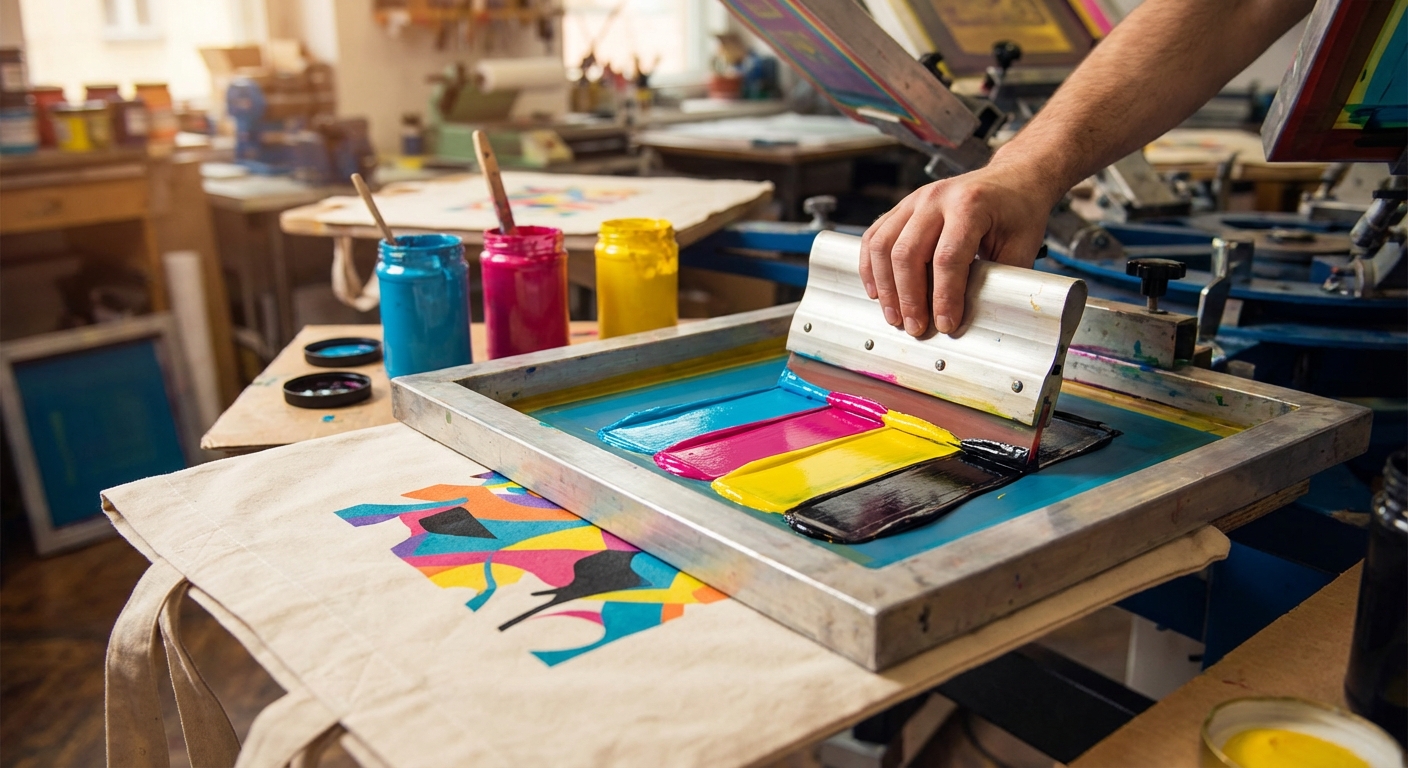
You've chosen your bags, decided on quantities, and you're ready to order. But wait – is your logo actually ready for printing?
Poor artwork is one of the biggest causes of disappointing print results. The good news? A few simple checks can ensure your promotional bags look exactly as you imagined.
Understanding Print Methods
Different print methods have different requirements:
Screen Printing - Best for: Simple designs, 1-4 colours - File type needed: Vector (AI, EPS, PDF) - Colour mode: Pantone (spot colours)
Digital Transfer - Best for: Full-colour, photographic designs - File type needed: High-res image or vector - Colour mode: CMYK
Embroidery - Best for: Premium feel, textured logos - File type needed: Vector + digitisation - Note: Very fine details don't work well
File Format Essentials
Vector Files (Best) - Formats: .AI, .EPS, .SVG, .PDF - Why: Infinitely scalable, clean edges at any size - Required for: Screen printing, professional results
Raster Files (Acceptable) - Formats: .PNG, .TIFF, .JPEG - Requirements: Minimum 300 DPI at print size - When to use: Full-colour digital printing only
What NOT to Send - Low-resolution web images - Word documents with embedded logos - Screenshots or phone photos
Colour Considerations
For Screen Printing Use Pantone (PMS) colour references. Example: "Pantone 485 C" not "red."
Why? Screen printing mixes specific ink colours. Without Pantone references, printers have to guess – and guesses vary.
For Digital Printing CMYK colour mode. Be aware that colours may shift slightly from RGB screens.
Logo on Different Backgrounds Test your logo on: - Natural (cream/beige) cotton - White fabric - Coloured fabric
Logos that work on white may need adjustment for other backgrounds.
Design Tips for Bag Printing
1. Keep It Simple The best bag logos are bold and uncluttered. Fine details can get lost, especially at smaller sizes.
2. Consider the Print Area Typical bag print areas: - Tote bags: 20cm x 20cm to 25cm x 25cm - Drawstring bags: 15cm x 20cm to 20cm x 25cm
Design within these constraints.
3. Mind the Margins Leave space around your logo. Edge-to-edge prints look cramped.
4. Test Readability Print your design at actual size on paper. Can you read all text? Are details clear?
5. Think About Bag Folds Bags fold. Make sure key elements aren't hidden in creases.
Pre-Flight Checklist
Before sending artwork, verify:
✅ Vector file format (.AI, .EPS, .PDF, .SVG) ✅ Fonts converted to outlines ✅ Pantone colours specified (for screen print) ✅ Minimum 300 DPI (for raster images) ✅ CMYK colour mode (for digital print) ✅ Design fits within print area ✅ No copyright/trademark issues
Getting Professional Help
Don't have a vector logo? Options:
- Ask your original designer for source files
- Use vectorisation services to convert images
- Work with your printer – many offer design support
At Cotton Shoppers, we provide free visual proofs so you can see exactly how your logo will look before production.
Common Problems and Fixes
Problem: Logo looks pixelated Fix: Provide vector file or higher resolution image
Problem: Colours don't match Fix: Specify Pantone references
Problem: Fine text is illegible Fix: Increase font size or simplify design
Problem: Logo doesn't stand out Fix: Adjust colours for fabric background
*Need help with your artwork? Contact us – we're happy to check your files and advise on the best approach for your design.*
Related Articles
Cotton Bags vs Canvas Bags: Which is Right for Your Brand?
Confused between cotton and canvas bags? We break down the differences in durability, cost, and branding potential to help you choose the perfect promotional bag.
How to Choose the Right Promotional Bag for Your Event
A comprehensive guide to selecting the perfect promotional bag for conferences, trade shows, corporate events, and retail giveaways.
Ready to Order Your Promotional Bags?
Get high-quality branded cotton bags for your business. Fast UK delivery, competitive prices, and eco-friendly options.
Browse Products